Draiver · Project Hero
OPENLANE · Driver App

Redesigning the app that moves the cars.

A research-led redesign of Draiver, OPENLANE's driver app. Diagnosed in the field, rebuilt around the moments that decide a driver's day, and put back in front of the drivers who live in it.

7Research participants
14Screens redesigned
6Usability participants
RoleProduct Designer
Timeline2 months
ToolsFigma · FigJam · Claude Design · MS Excel
Screen 2
Screen 3
Screen 1 · hero
PHASE 01. RESEARCH

A field diagnostic of the Draiver driver experience.

Before redesigning a single screen, I asked the people who live inside the app every day, drivers, their leads, and the dispatcher who builds their trips, to confirm, contradict, or add to what we thought we knew. This is where the evidence meets the assumptions, and where the redesign gets its brief.

7
Interviews
3
User roles
239
Observations
24
Themes
6
Hypotheses
51
Screens audited
The research question

Did the research prove our hypotheses?

Every assumption became a research question, and every research question became an open, non-leading prompt. So each hypothesis is answered against real evidence, not opinion. Tap a card to open the evidence behind the verdict.

Hypothesis→Research question→Prompt→Evidence→Verdict
What we found

Seven findings the whole operation agrees on

Across 239 coded observations and three roles, the same story surfaced from different seats. Headlines first, open any one for the evidence behind it.

The Draiver app is a thin, unforgiving surface over a coordination-heavy operation, it assumes knowledge it never teaches, shows upstream data it can’t fix, and leaves drivers to bridge the gaps by phone.
The redesign answers what a screen can: it teaches at the moment of need, makes the app carry the driver’s identity, and surfaces what today hides, and it routes the rest, the upstream data, to where it’s actually fixable rather than pretending a screen can fix it.
What drivers hit, by severity154 observations
Blocker / safety 40 Friction 100 Works well 14
Most of what drivers hit is everyday friction, but one in four is a blocker or a safety risk. That ratio is why the redesign leads with the safety-critical moments, not the cosmetic ones.
See the full affinity map in FigJam
Who it happens to

Three people inside every trip

Composites drawn from the interviews and the app audit. Each is doing their job well while boxed in by a system that won’t bend. Read together, they’re the case for fixing the handoff, not just the screens.

Service blueprint

One trip, end to end, and everything behind it

One driver, one pickup-to-delivery run: what they do, how it feels, and the app screen in front of them, then below the line of visibility, the dispatcher and systems shaping the trip they never see. Feelings are read from what participants described; every screen, pain and back-end note is grounded in the interviews and the app audit.

Actor
Driver, composite of 5. The lead works this same pickup-to-delivery flow as a hands-on driver, not only coordinating the group.
Goal
Move an assigned vehicle from pickup to delivery on a group run, safely, undamaged, and without getting stranded.
Phase
01
Start of shift & trip
02
Get to the vehicle
03
Pick up
04
Drive & deliver
05
Return or next leg
DoingThe driver’s steps
Log in; set “Available for Trips?”8 AM meeting; accept the tripRead the Trip Overview & notes
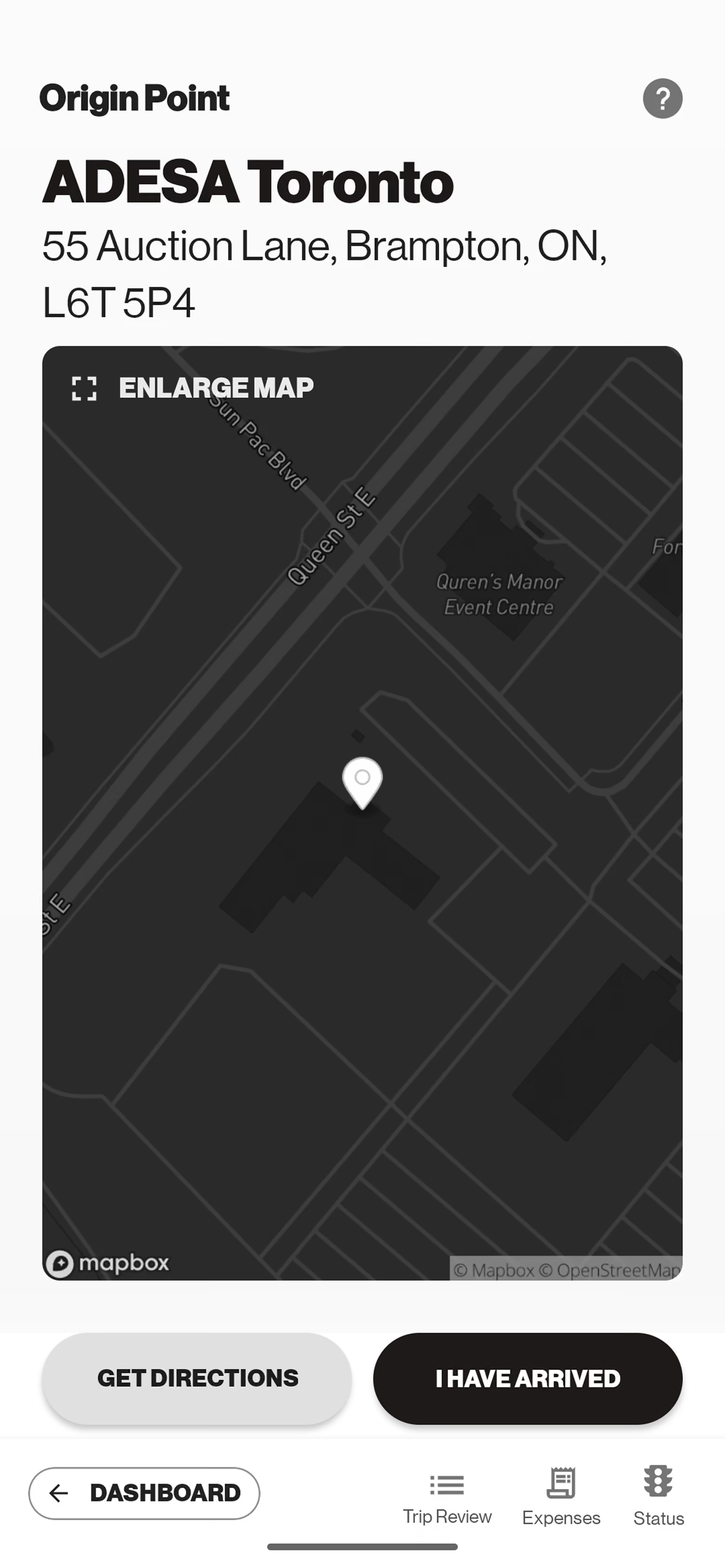
Drive to origin; “I have arrived”Find the lead driverLocate the vehicle in the yard
Open the release form; get keysCapture VIN; take 5 photosConfirm fuel; flag any damage
Navigate; leave the vehicleRecord where keys were leftSet the delivery outcome
Return, or request a rideshareSubmit trip summary & earnings
FeelingRead from context
Set, but half-guessing the day from one Notes blob
Hunting, no photo of the car or the lead to go on
Heads-down and exposed, VIN by hand, no undo
Relief, unless no one’s there to take the keys
Waiting on a ride the app won’t show a face for
▲ line of interaction ▲
SeeingThe app · frontstage
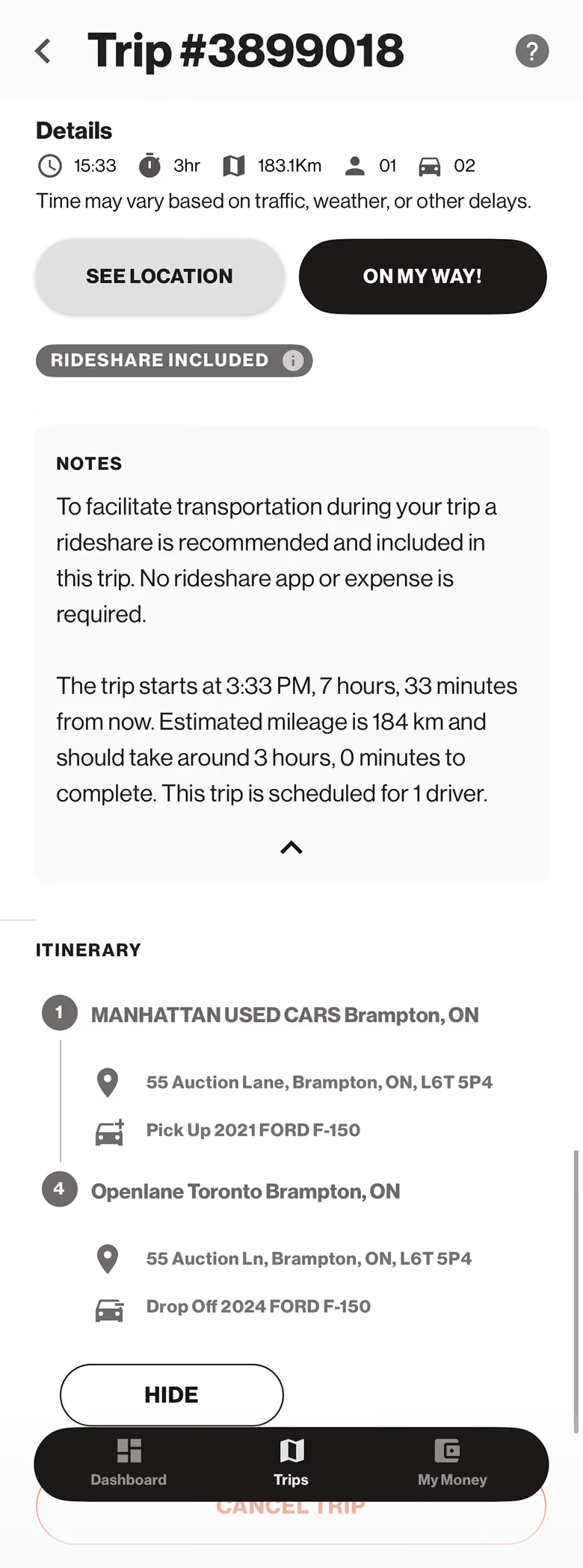
Trip Overview screen
Trip Overview
Itinerary + the one free-text NOTES field holding shuttle instructions, timing, and the full driver roster.
Locate Vehicle screen
Locate Vehicle
VIN · “No Vehicle Image Available” · I CAN’T FIND IT / FOUND IT.
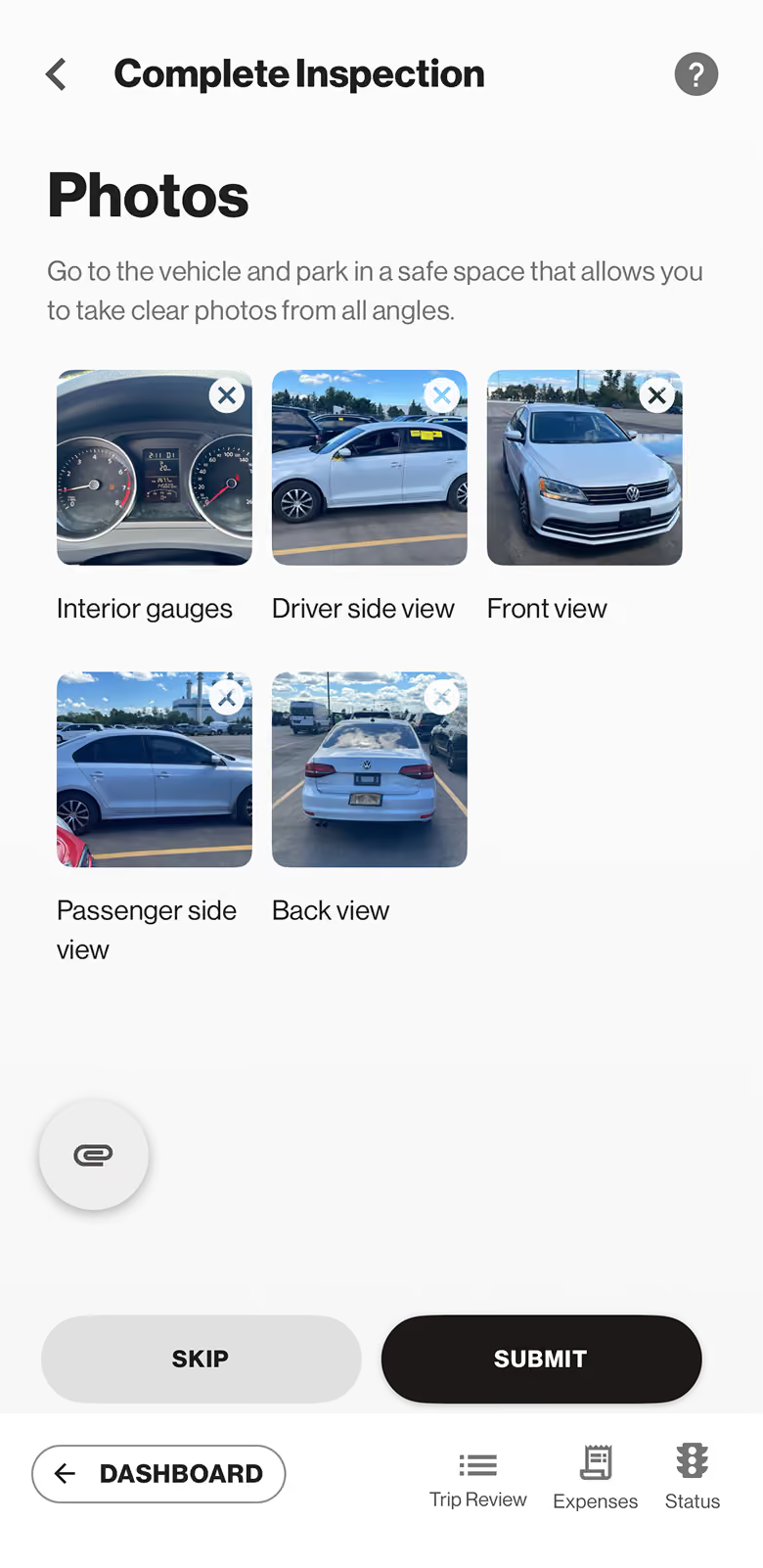
Complete Inspection, Photos screen
Inspection, Photos
Five fixed slots · SKIP / SUBMIT, easy to mis-tap, and a saved step can’t be undone.
Lead-specificA lead drives an assigned van daily yet still photographs it at every stop, a redundancy leads find hard to justify.
Indicate Delivery Issue screen
Delivery Outcome
Delivered / Mechanical / Damage · Breakdown / Accident. The dry-run vs delivered split, with no in-app helper.
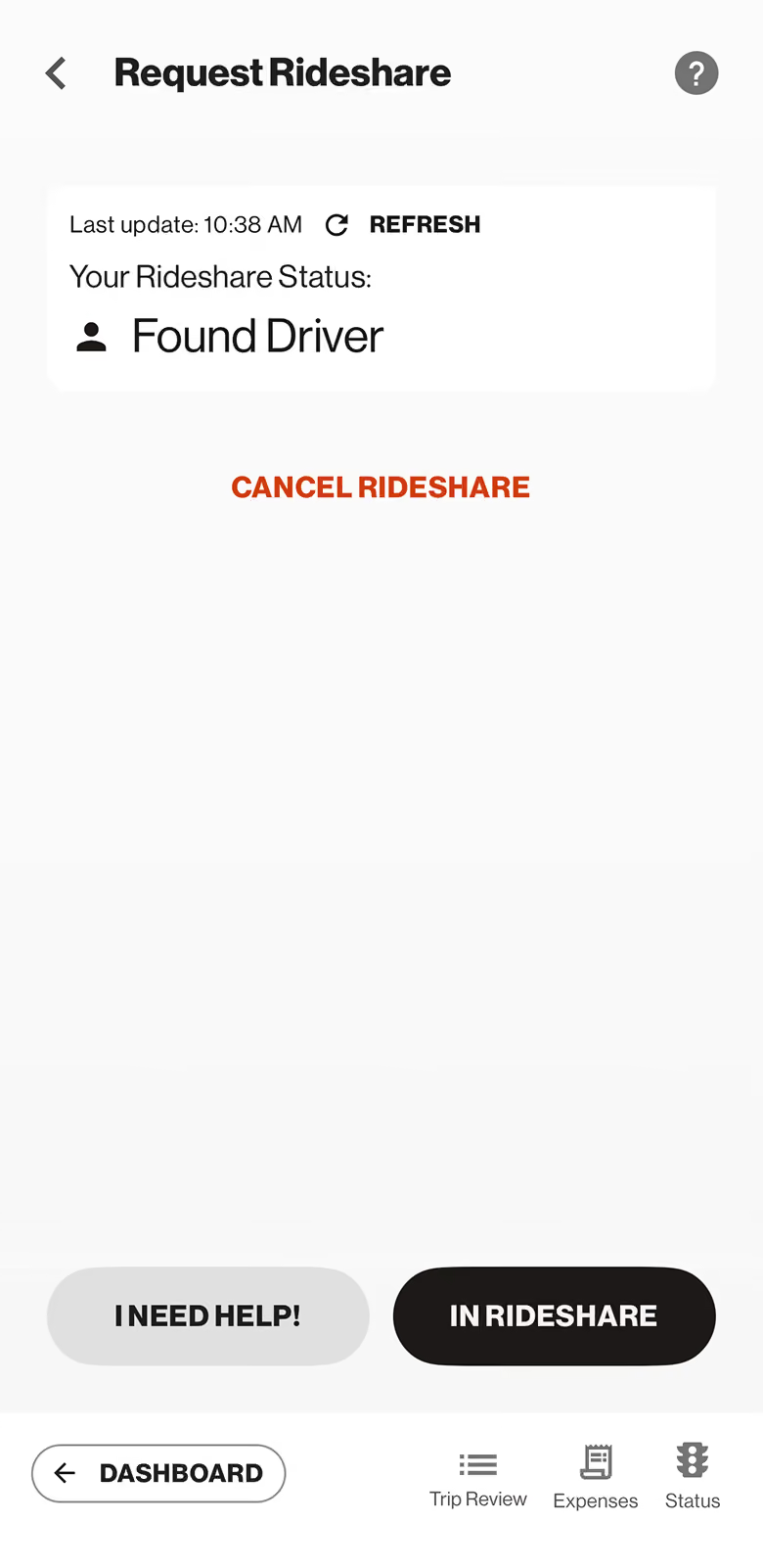
Rideshare Status screen
Rideshare Status
Manual REFRESH cycles “Confirming” → “Found Driver”, no name, plate, car, or ETA.
▼ line of visibility, below here the driver sees nothing ▼
BackstageDispatcher only
Builds the trip to ETA deadlines, 3–4 km clustering, and a 5-drivers-per-lead ratio. The crammed Notes are dispatch’s own instructions, pasted into one field.
When the BOL address is stale, cross-references the internal repository, shuttle trips are assembled by hand, so the app only shows what was typed.
Dispatch decides dry run vs early leave (a billing / accountability split), and a logged dry run can set off a 5–10-day revalidation loop.
Owns the wait ≈1 hr, then skip call. The moment the driver submits, the report is stamped as an unalterable compliance record.
Guides the driver by phone, but can’t tell who’s calling across ~120 drivers. Issues wait for the bi-weekly escalation.
line of internal interaction
SupportSystems & tools
Load boardRiver · OpenlaneOrder entry
Internal repositoryMapboxYard finder
BOL · KAR ArriveFuel cardCondition report
Salesforce · casesStamped record
Uber lineSMS + web trackerSupport form
Pain points
Pain
One Notes blob holds instructions, timing, and the roster, nothing is scannable at a glance.
Pain
No vehicle photo, no lead photo, a manual “I have arrived”, finding things runs on guesswork.
Pain
VIN scan dies in cold & glare; the photo step hard-blocks; a saved step can’t be undone.
Pain
Arrive to a wrong or closed site with no one to take the keys, the fallout of upstream data.
Pain
Only “Found Driver”, no plate, car, or ETA; status moves only on a manual refresh.
Design hookWhere a fix lands
Opportunity
Break Notes into scannable fields; surface dealership hours + wait/skip status.APP FIX
Opportunity
Add a vehicle photo + a lead photo; identity-aware login so arrival isn’t a guess.APP FIX
Opportunity
Photo/voice VIN; a review-before-submit step and an obvious “add a note after.”DESIGN AROUND CONSTRAINT
Opportunity
Guide the delivery-outcome screen so the right option is picked; fix stale addresses at the source.APP · UPSTREAM DATA
Opportunity
Show the Uber driver / plate / car / ETA in-app; in-app calling that carries identity.APP FIX
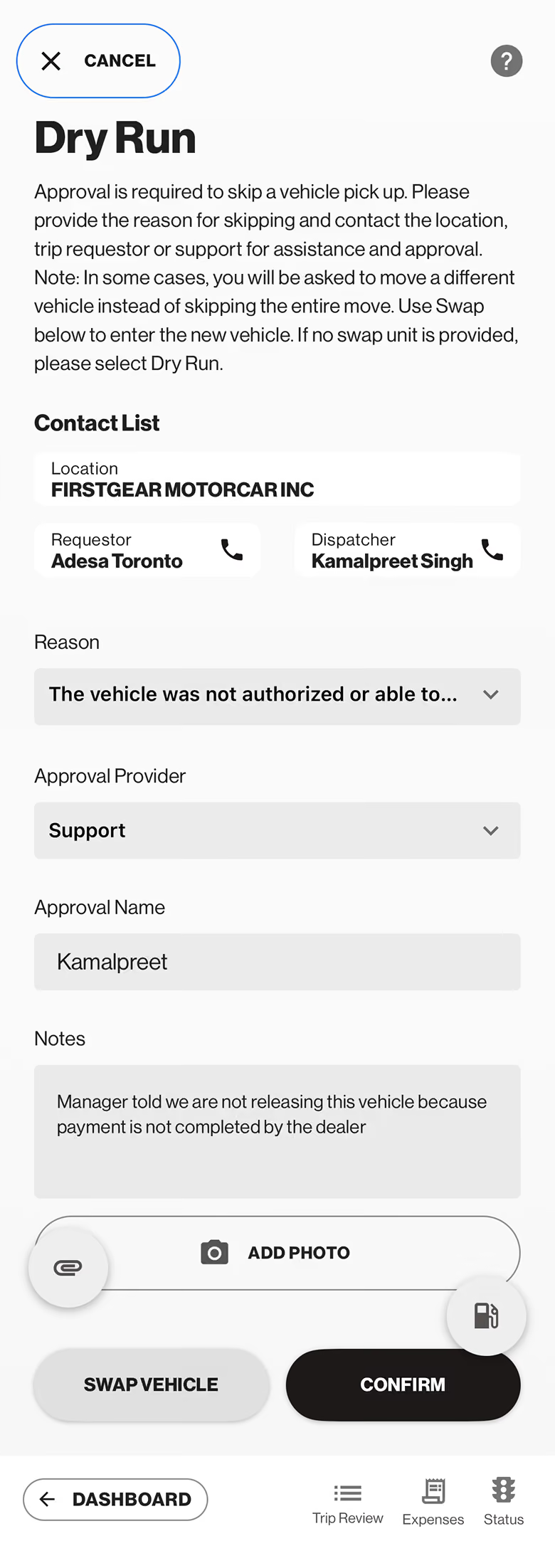
Dry-run reason screen
Real app screen · dry-run flow · contact name blurred for privacy
The dry-run branch

When the car can’t be taken

A dry run can be logged right at the Vehicle screen, the driver doesn’t have to finish the pickup first. They choose one Reason, add notes and a photo, then Confirm:

  1. Inaccessible or locked
  2. Not at the location
  3. Not authorized or able to operate
  4. Mechanical issue
  5. Other
PainDrivers sometimes pick the wrong reason, and the choice mis-routes the case downstream, billing, re-attempt, accountability.
OpportunityPlain-language guidance on the reason list, what each one means, so the right reason is picked first time.APP FIX
!

Two locks sit under this blueprint, and they are not the same thing.

OperationalA built trip can’t be edited, to change it, dispatch cancels and rebuilds it. An internal ops limit the customer never sees.

ComplianceOnce a driver submits a step it can’t be changed, the condition report is a stamped, unalterable record for audit and customer trust. So the redesign works around it: catch the error before submit.

How might we

From findings to design challenges

Each validated finding becomes an open question, grouped so the redesign attacks a few high-leverage themes instead of two dozen scattered fixes. Framed from the evidence, not yet solutions.

A

Know who the driver is

How might we let the app carry the driver’s identity, so calls and Uber rides always reach the right person without a daily phone-number update?

Finding 03 · Participant 1 & 5

How might we let a driver reach dispatch from inside the app, trip and location already attached, so “who are you?” never starts a call?

Dispatcher · #1 ask
B

Confidence in the field

How might we make VIN and photo capture survive cold, glare, and gloves, so a driver isn’t hand-typing 16 digits outdoors?

Finding 04 · Participant 2

How might we show a driver their own location and one-tap help when a vehicle breaks down, instead of the app tracking GPS it never shows them?

SafetyFinding 06 · Participant 5
C

See what’s coming

How might we show the Uber driver, plate, car, and ETA in the app, instead of a bare “Found Driver” and a manual refresh?

Finding 05 · Uber flow

How might we give the lead a real coordination view, reassignments, return-vs-Uber, driver photos, instead of verbal check-ins?

Lead interview
D

The right call, clearly

How might we guide the delivery outcome and dry-run reason at the moment of choice, so the case routes correctly?

H5 · dry-run branch

How might we restructure the overloaded Notes into scannable, trustworthy fields, so the driver isn’t parsing a blob?

Finding 01
UX strategy

Where the redesign points

The problems the study found become the brief. Inside the app, the redesign carries the driver’s identity, makes the field flow forgiving, and surfaces what today hides, that is Part 2. The rest sits beside the app, where no screen can reach.

North star

Make the Draiver app trustworthy in the moment, it knows who the driver is, shows what’s coming, forgives a mistake before it locks, and works with the operation’s rules instead of hiding them.

Beyond the app, gaps no screen can close

The strongest findings don’t end on a screen. These run in parallel with the redesign, and the research is what makes the case for them.

Data at source

Fix contact & address data upstream

Make the phone field required at order entry, validate the manual shuttle build, and sync the corrected repository to the app, so drivers stop being sent to stale addresses.

Operations

24-hour dealership pre-call

Call each dealership a day ahead, confirm the pickup, give an ETA, stage the car, and catch undrivable units before anyone rolls. The lead’s top ask; it attacks dry runs at the source.

Training

Dealership-first support habit

Coach drivers to check with the dealership first, a battery, keys, locating a unit, which resolves many issues with no dispatch call, the biggest source of avoidable calls.

Platform · longer term

Editable trips on the back end

Explore letting dispatch edit or re-sequence a built trip instead of cancel-and-rebuild, an operations ask, separate from the compliance lock on the driver’s record.

Draiver Redesign · The Design
Phase 02 · The Redesign

I redesigned the few moments that decide the driver's day.

Real drivers walked me through where the app slows them down. These are the screens I designed in answer, each one traced back to a driver's own words.

Screen by screen

Where the day gets easier

Where a screen already existed, drag to compare it with the live app. Where it's new, it stands on its own.

Built to reuse

Two components carry the states

The idle screen and the release-form send run on two small component sets, so every status looks and reads the same wherever it appears.

System Status

Screen 05 Idle Trips → checked-in status

Drives the idle Trips screen. Every state is computed from what the app already knows, with no dispatcher toggling.

Checked inTrip assignedNot checked inOffline

Delivery Status

Screen 04 Send the release form New

Drives the release-form send. It turns a silent failure into a state the driver can see and recover from.

SendingDeliveredCouldn't deliver
What we expect it to move

What the redesign is built to change

These are the outcomes each theme is built to move, framed against the operation's own numbers. They are expectations to validate in testing, not measured results.

~120
drivers whose "who are you?" calls the identity layer is built to end
0
silent release-form failures; now every send shows Delivered or Failed
25+ min
of "am I in the queue?" waiting the checked-in status is built to answer
3
ways to capture a VIN, so a scanner that won't read in the cold is never a dead end

The next step is to put the prototype in front of drivers and the dispatcher, and see whether it holds up in the cold, in gloves, on a shared phone.

What was hard, and what I'd watch

The sharpest call was the compliance lock. Drivers want to edit a saved step, but that lock is a deliberate audit guarantee, so the right move was to work around it with a review step, not to unlock a record customers trust.

What I'd watch next: whether the field-proof capture survives glare and gloves, and whether the push tone gets learned. Both are claims this page makes that only testing can settle.

Draiver Usability Testing
Phase 03 · Usability Testing

I redesigned the app. Then I checked it works for drivers.

A formative usability test of the Draiver redesign, run in the Figma prototype with six drivers and five core tasks. The question wasn't "is it pretty?" It was whether the redesign is right (it solves the real problems), functional (drivers can do the work), and acceptable (drivers find it easy).

6 drivers 5 core tasks Figma prototype Moderated, think-aloud
90%
Unassisted success, 27 of 30 tasks
100%
Completed, with zero failures
1
Error in 30 tasks, 97% error-free
7.3/10
Mean ease, nothing below 6.8

This was a formative test: the redesign lives in a Figma prototype, not the shipped app, so the goal was to find what to fix while it's still cheap to change, not to certify a finished product. Each driver worked through the flow one-on-one, thinking aloud, while I recorded success, time, errors, and a per-task ease rating (1–10). Results are read through Quesenbery's 5 E's, so the story turns into measurable evidence.

The 5 tasks were the 5 research pains
T1

Start your shift / set up identity

Pain · Drivers share phones; the old sign-in left it unclear who was actually logged in.
T2

Record the VIN

Pain · VIN stickers are faded, frosty, or glare-blind, so scanning in the cold often fails.
T3

Make the dry run (pick the reason)

Pain · A vague "can't complete" forced the dispatcher to cancel and rebuild the whole trip.
T4

Find your ride back (rideshare)

Pain · "Found a driver" with no plate, car, or ETA left drivers stranded and guessing.
T5

Read the 2nd dealership's contact info

Pain · Stop and contact details were buried when a driver needed to call ahead.

"Right" means the redesign answers the problem that prompted it, not just that a screen looks cleaner. Every pain has a design response, and every response held up in testing.

Research pain
Redesign move
Tested result
Shared-phone identityUnclear who's signed in on this phone.
Phone-confirm identity"Signed in on this device only," no photo step.
Settled it.T1 · 100% · ease 7.7
VIN in bad conditionsFaded, frosty, glare-blind stickers.
Three capture methodsScan, scan-from-photo, type or say it.
Worked.T2 · 83% · ease 7.2
Vague "can't complete"Dispatcher had to cancel & rebuild.
Four plain reasons + subtextEach with "see what each means."
Classified cleanly.T3 · 83% · ease 6.8
Rideshare opacity"Found a driver," and nothing else.
Full status screenDriver, plate, car, ETA + "match the plate."
Transparent.T4 · 100% · ease 7.5
Buried contact infoCouldn't call the stop ahead.
Expandable stop cardCall + directions on each stop.
Surfaced.T5 · 83% · ease 7.3
Research pain → tested result

What it proves
Every problem the research raised now has a design response that drivers validated in use.

Across 30 task attempts, drivers completed every one: 27 with no help at all, the other 3 after a small nudge, none failed. Only a single error occurred in the whole study.

Task
Unassisted success
Mean ease
Time
Errors
T1 Identity
100%
7.7
50s
0
T2 Record VIN
83%
7.2
37s
0
T3 Dry run
83%
6.8
63s
1
T4 Rideshare
100%
7.5
31s
0
T5 Contact info
83%
7.3
15s
0

Timing fits the task: the daily reads are fast (contact lookup 15s, ride-back 31s), while the dry run runs longer (63s) because it's a judgment call, not a reflex. Time here reflects navigating the prototype, not field conditions.

What it proves
The flows function end to end: drivers reach the right outcome, and they almost never slip doing it.

Acceptance is whether drivers would actually welcome this on the job. Perceived ease averaged 7.3 out of 10, no task fell below 6.8, and of 30 task attempts only three drew any friction. The rest ran clean at 7–9.

Mean ease by driver (1–10)
P1
8.0
P2
6.4
P3
8.0
P4
6.6
P5
6.8
P6
8.0

What I learned, and what I'd change

Drivers didn't just get through the flow. They rated it easy, consistently, with no one below the mid-point. The most useful finding was in the three places that slowed down: every one traced to wording, not the screens. That makes the next iteration a cheap copy pass rather than a redesign.

What I'd change: on VIN capture, the three methods are right but which to pick first wasn't obvious: lead with the best default and demote the rest. On the dry run, one driver hesitated between a listed reason and "Other": sharpen the reason subtext so boundary cases are unambiguous. On contact info, "2nd dealership" read as the second stop vs the second pickup: tighten the label and the task wording.

What it proves
Drivers accept it (they rate it easy), and the gaps that remain are language, the quickest and lowest-risk kind of fix.
Measured against the framework

The 5 E's scorecard

Effective, Efficient, Engaging, Error-tolerant, Easy to learn: the usability lens, each backed by a number from this round.

Effective
90%
Unassisted, 100% completed with zero failures.
Efficient
39s
Mean per task; daily reads 15–31s.
Engaging
7.3/10
Mean ease; nothing below 6.8.
Error-tolerant
1/30
One error; all three assists recovered.
Easy to learn
5/5
First-timers finished every task, no training.
The takeaway

The redesign held up where it counts.

Across six drivers and five core tasks, it proved right, functional, and acceptable: 90% of tasks done unassisted, zero failures, and 7.3/10 for ease. Nowhere clearer than the ride home: every driver finished it without help and knew exactly which car to get into.

T4 · Rideshare · 100% unassisted · ease 7.5
Rideshare status screen showing driver, plate, car and ETA
Rideshare screenPaste your image URL in the code (search: PASTE_IMAGE_URL_HERE)
Know whose car you're getting into: plate, car, and ETA up front.
The direction

Where it goes next

A recap of the path forward, detailed earlier in the study. Three lanes, and the one that matters most isn't on a screen at all.

Next, in the app
Near-term
  • Wording fixesVIN default · dry-run subtext · "2nd stop"
  • Dealership hours + wait-or-skip
  • Guided gas-receipt capture
  • Summative pilot on the built flow
Then, sequenced
Parked for a cleaner pass
  • In-app check-in + group counter
  • Call dispatch, identity-aware
  • Onboarding, in the moment
Beyond the app
Gaps no screen can close
  • Fix address data at the source
  • 24-hour dealership pre-call
  • Dealership-first support habit
  • Editable trips on the back end
The bottom line

The redesign earns its place. The rest, the app can't reach.

Across six drivers it proved right, functional, and acceptable, and the gaps that surfaced are wording: a copy pass, not a redesign. But a driver's day only gets whole when the app and the operation move together: half of what breaks it can't be fixed on a screen.

Recommendation → ship the wording fixes and the built flow, pair them with the operations work above, then validate on the live flow.
Draiver research · redesign · usability testing
OPENLANE Transportation
Draiver · Footer — More Case Studies
More Case Studies

This Case Study

Draiver, Driver App

A research-led redesign of Draiver, OPENLANE's app for the drivers who move vehicles between auctions and dealers — a field diagnostic turned into a redesign, then usability-tested with six drivers.

Back to Top

Next Case Study

Artscape

A discovery-and-community platform for Toronto's art lovers, artists, and galleries, as easy to find a ceramics workshop or an emerging painter as a restaurant on Yelp.

Read Next Case Study